Ultimate List Of The Best Free AI Video Generators Of 2026!
 By Ankita Tripathy
20 March, 2026
Blogging
By Ankita Tripathy
20 March, 2026
Blogging
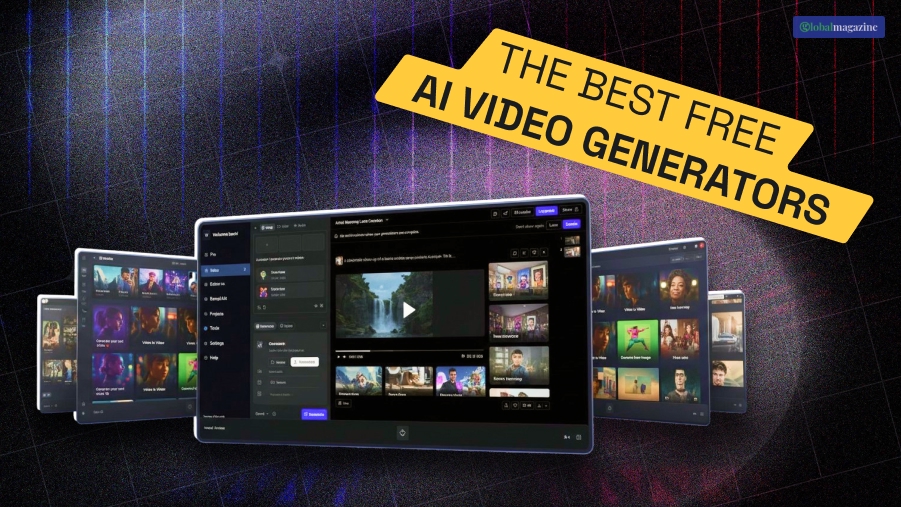
Let’s talk about something that we all have seen emerge these days. And yes, I am talking about the various AI videos that are literally all over our feed on Instagram.
Looking at the number of followers these accounts have, you must have thought about the best AI video generator that you can use.
Well, at least I did! And let’s be honest about this – how we used to feel about AI and tools that use AI has really changed a lot over the past two years. Additionally, the landscape of video creation has shifted permanently.
Therefore, in 2026, the question isn’t whether you should use AI. Rather, it’s about which specific stack of tools will allow you to hit “publish” faster without sacrificing quality.
For creators, developers, and startup founders, the “free” tag often comes with strings – watermarks, low resolution, or restrictive credit limits.
After spending three weeks stress-testing over 30 platforms, I’ve identified the tools that actually provide value to professional workflows.
Whether you need cinematic b-roll, high-fidelity business avatars, or automated social media clips, these generators offer the most robust entries into the market today.
Therefore, if you want to know what the best free AI video generator is, keep reading!
Best Free AI Video Generators At A Glance
Here is the ultimate best AI video generator list that you need to know in 2026:
| Tool | Best For | Modalities | Platform | Free Plan |
| Magic Hour | All-in-One Workflow | Video-to-Video, Face Swap, Lip Sync | Desktop & Mobile | Generous (No Signup Required) |
| CapCut | Final Editing | Text-to-Video, Auto-Captions | Web, Desktop, Mobile | High (Watermark-free) |
| Kling AI | Physical Realism | Text-to-Video, Image-to-Video | Web, Mobile | 66 Daily Credits |
| Luma Dream Machine | Cinematic Motion | Image-to-Video, Video-to-Video | Web | 30 Monthly Generations |
| HeyGen | AI Avatars | Text-to-Avatar, Photo-to-Avatar | Web | 1 Free Credit |
Now that you have an overview of the AI video generators that work the best (and are ABSOLUTELY free), take a look at them in detail:
1. Magic Hour
Firstly, on the list of the best AI video generators, you need to know about Magic Hour. It really stands out as the most versatile “frontier model aggregator” in the 2026 market.
While most tools lock you into a single proprietary model, Magic Hour gives you access to multiple top-tier models in one place.
It is the only platform I tested that allows you to try the technology without even creating an account.
Pros:
- Unmatched Workflow: One-click multi-step processes (Generate → Upscale → Video).
- Best-in-Class Features: Industry-leading Face Swap, Lip Sync, and Talking Photos.
- Creator-Friendly Credits: Purchased credits never expire; no concurrency caps on parallel generations.
- Rapid Innovation: Weekly feature releases and click-to-create templates for fast variations.
Cons:
- The sheer number of options can be overwhelming for absolute beginners.
- High-resolution upscaling takes longer than standard generation.
I spent a week testing Magic Hour’s “multiple takes” feature, and it is a game-changer for marketers. Additionally, you can run ten variations of a clip simultaneously without hitting a “busy” server message.
Therefore, if you’re looking for a platform that combines frontier model access with founder-level support and reliable performance at scale, this is hard to beat.
Price: Unusually generous free tier; Paid plans offer strong value at ~$10–15/month with full API parity.
2. CapCut (Desktop & Web)
Secondly, on the list of the best AI video generator, there’s CapCut. Being an old player in this game, CapCut has genuinely evolved from a simple TikTok editor into a dominant AI video powerhouse.
For most creators, this is the most practical starting point. And that’s because it allows you to bypass the “watermark tax” that plagues most free tools.
Pros:
- Generous watermark-free exports at 1080p and 4K.
- Highly accurate “Auto-Captions” and “Script-to-Video” features.
- Integrated library of AI-generated music and sound effects.
Cons:
- Advanced AI effects often require a “Pro” subscription.
- Cloud storage is limited on the free tier.
- Privacy concerns regarding data usage in some regions.
I find CapCut to be the most reliable “finishing” tool. Additionally, even if you generate raw clips in Luma or Kling, bringing them here for final assembly is the fastest way to a professional result without spending a dime.
Price: Free; Pro plan starts at $7.99/mo.
3. Kling AI 3.0
Third, Kling AI is currently the gold standard for physics-based realism. If you need a video of a person eating or water splashing, Kling handles the complex fluid dynamics better than almost anyone else in the current market.
Pros:
- Industry-leading 3D physics and motion consistency.
- High daily credit refresh (66 credits).
- Supports video-to-video for advanced character stay-in-place.
Cons:
- Higher-quality “Professional” mode consumes credits quickly.
- Wait times for rendering can be long during peak hours.
If you are looking for a platform that delivers Hollywood-level realism for zero dollars, Kling is the primary choice. For instance, I used it to generate a sequence of a futuristic city in the rain, and the reflections on the pavement were indistinguishable from real footage.
Price: Free (66 credits daily); Paid tiers from $10/mo.
4. Luma Dream Machine / Ray3
Luma specializes in cinematic camera movements. Furthermore, while other tools focus on the subject, Luma focuses on the “lens,” providing sweeping drone shots and complex pans that feel like they were filmed by a professional crew.
Pros:
- Exceptional camera control and “Keyframe” features.
- High-fidelity HDR output.
- Fast rendering compared to competitors.
Cons:
- Free monthly generations are limited (roughly 30).
- Can struggle with human anatomy in high-motion scenes.
In my testing, Luma excelled at creating establishing shots for brand videos. Moreover, it transforms a static photo into a 5-second cinematic fly-over with remarkable stability.
Price: 30 free generations/month; Pro plans available.
5. HeyGen
Finally, for business professionals and marketers, HeyGen is the leader in AI avatars. It allows you to create a “talking head” video just by typing a script. And trust me when I say this – it is ideal for tutorials and internal communications.
Pros:
- Best-in-class lip-syncing and multi-language support.
- Easy-to-use interface for non-technical users.
- Avatar “Instant Clothing” feature for quick branding changes.
Cons:
- The free tier is very restrictive (1 credit).
- Avatars can still feel slightly “uncanny” in long-form videos.
I spent a week testing HeyGen for a series of 30-second LinkedIn ads. Additionally, the ability to localize the same video into five different languages with a single click is a massive time-saver for startups looking to scale globally.
Price: Free (limited credits); Paid starts at $29/mo.
How We Chose These Tools
My testing methodology was focused on practical utility for professional output rather than casual play. For instance, I evaluated each platform based on a standardized dataset:
- Prompt Adherence: I used four complex narration scripts to see how well the AI translated abstract concepts into visuals.
- Consistency: I ran each tool multiple times with the same prompt to check for “drift” – where the AI changes the look of a character or background between shots.
- Performance at Scale: I tested how platforms handled “traffic spikes” and whether they supported parallel generations, which is critical for developers and agencies.
Evaluation Criteria:

1. Motion Stability: Does the video jitter or "hallucinate" new objects?

2. Ease of Use: Can a non-technical marketer get a result in under 10 minutes?

3. Export Quality: Is the free version high-resolution enough for professional use?
The Market Landscape & Trends
The AI video market in 2026 is moving away from “all-in-one” platforms toward hybrid workflows.
Furthermore, successful creators are now using one tool for the script (Claude/GPT), another for the avatar (HeyGen), and a third for stylistic transformations (Magic Hour).
Additionally, API Parity has become a priority for developers. Besides, platforms that offer the same features via a dashboard and an API are winning the market, as they allow startups to build video features directly into their own products.
Besides, we are also seeing a shift toward “no-expiration” credit models, as creators are tired of losing what they paid for at the end of every month.
Verdict On The Best AI Video Generator!
I guarantee at least one of these tools will meet your needs.
For those who want the most flexibility and access to the newest models without the friction of signups, Magic Hour is the standout choice.
On the other hand, if you are doing basic editing for social media, CapCut remains the king of the “final touch.”
Therefore, don’t wait for the “perfect” model. Pick two tools from this list, experiment with the daily free credits, and see which fits your creative voice.
Frequently Asked Questions (FAQs):
Now that you are aware of the best AI video generator, here are some of the questions that people often ask related to the topic. Take a look at them before leaving:
Magic Hour and CapCut are the strongest contenders here. For instance, Magic Hour’s “Face Swap” and “Talking Photo” features allow for high-engagement “faceless” content. On the other hand, CapCut’s templates make editing for mobile vertical formats instantaneous.
Not yet. AI can automate 80% of the production. However, humans are still needed for pacing, emotional resonance, and overall storytelling structure.
It depends on the tool. Most free tiers are restricted to “personal use.” However, paid plans – like Magic Hour’s $10 tier – typically grant full commercial rights. Therefore, always check the specific Terms of Service before using clips in an ad campaign.
The most honest way is to use platforms like CapCut or Fotor that offer watermark-free exports on their free tiers. Additionally, try to avoid third-party “watermark removers” as they often degrade video quality.